
Common Scams Targeting Parents
Scammers use sophisticated tactics to create urgency and fear. Here are the most common threats we block every day.
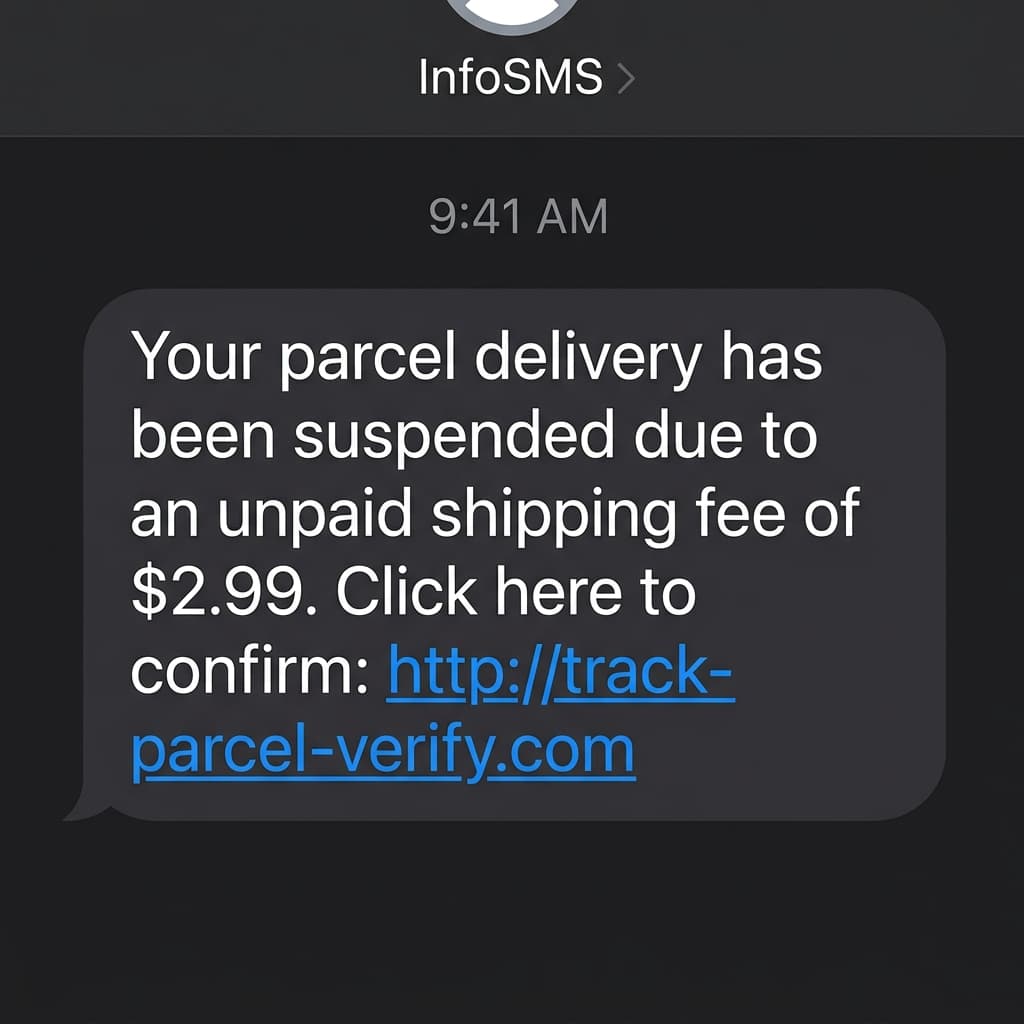
Fake Parcel Scam
SMS alerts claiming a 'missed delivery' that lead to fake payment pages designed to steal card details.
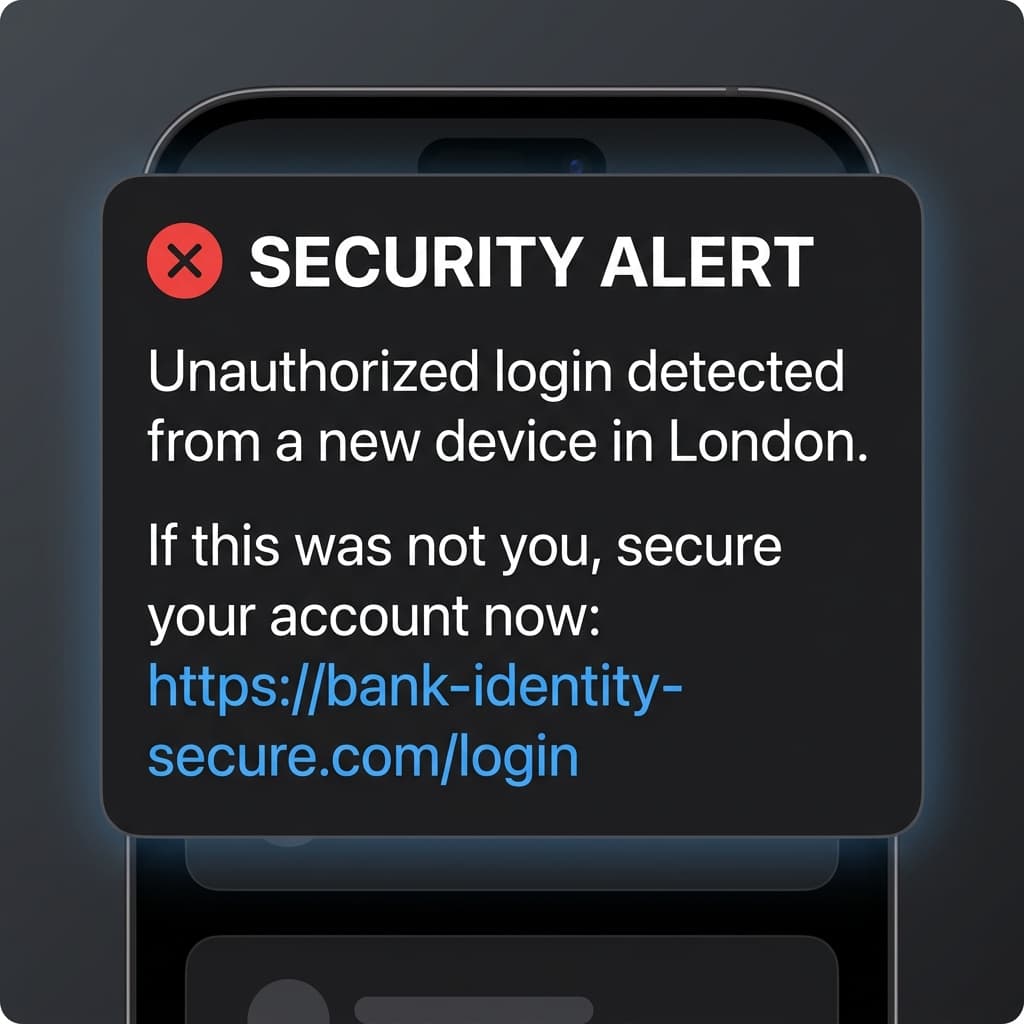
Fake Bank Alert
Urgent notifications about 'unauthorized access' that trick users into giving away their login credentials.
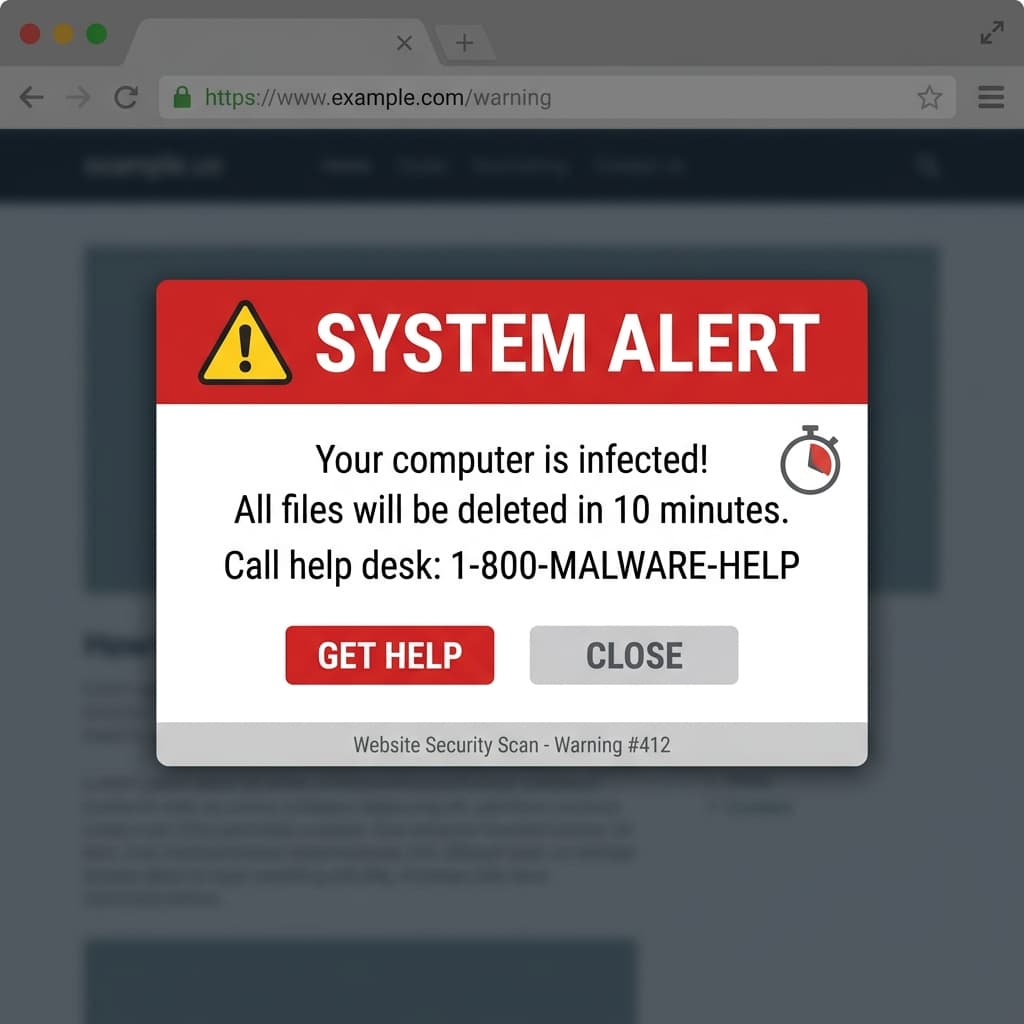
Fake Support Pop-up
Loud browser warnings claiming a 'virus' was found, forcing a call to a high-cost fake help desk.
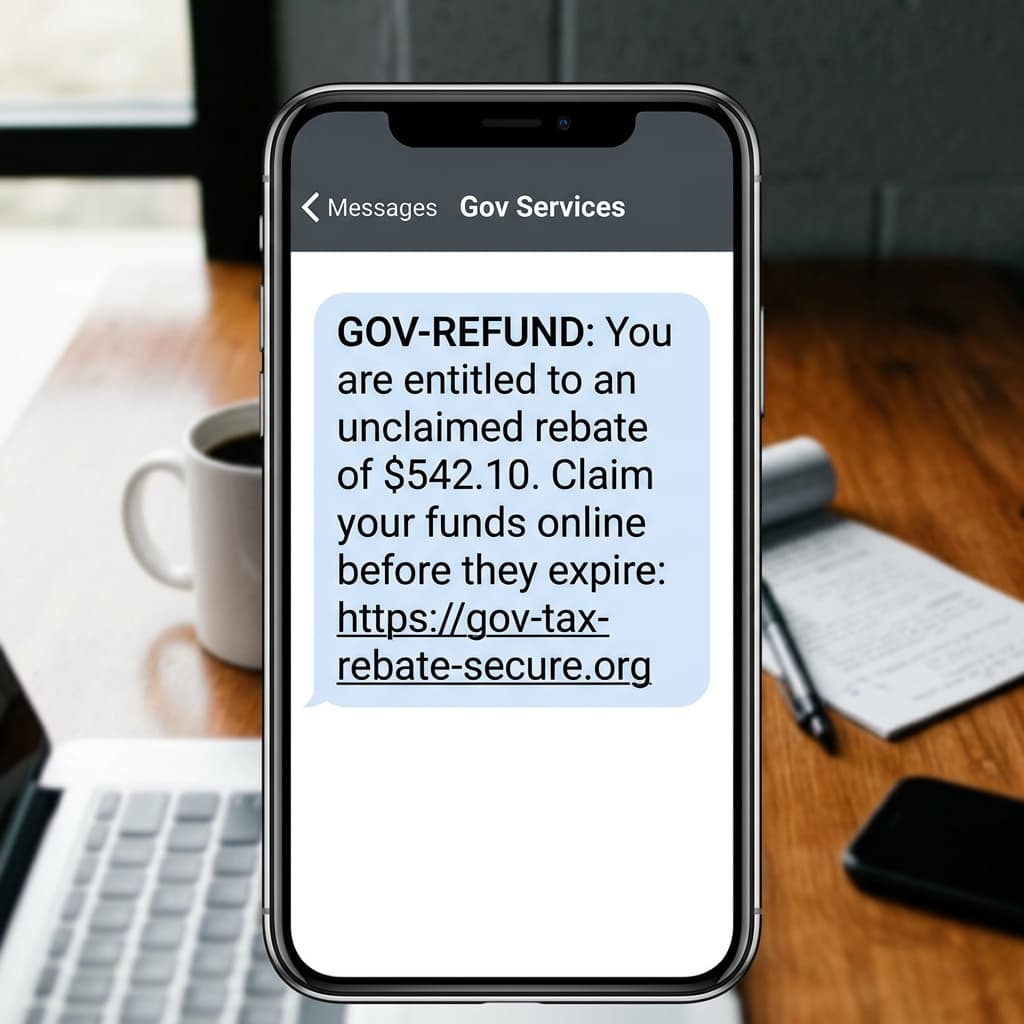
Fake Refund Message
Deceptive 'tax rebate' or 'government refund' offers used to phish for social security and account numbers.
Why Trust Stormhood?
Clear Explanations
We explain why something looks suspicious — not just generic warnings. We empower your parents to understand the threat.
Built for Modern Scams
Specifically designed to detect phishing, impersonators, fake urgency, and malicious links across all platforms.
Free to Try
Start with basic protection for free. Upgrade only if you need advanced coverage for the whole family.
Designed for Prevention
Our suite of tools is designed to reduce risky clicks before they happen, stopping harm at the source.
Full Privacy & Transparency
How Family Protection Works in 3 Simple Steps
1. Get the Family Plan
Activate Stormhood Family to protect yourself plus up to 3 loved ones with unified threat coverage.
2. Invite Your Parents
Enter their email in your Family Dashboard. They receive an instant 1-tap activation link.
3. Automated Peace of Mind
Once installed on their phone or browser, their protection is live with zero technical setup needed from them.
Need more than basic protection?
Alternatively, set it up for them
One Plan, Four Accounts
A single Family subscription covers you and up to 3 additional family members. Manage everything from one dashboard and ensure everyone stays safe across all their devices.
Invite from Dashboard
Add their email to your Family Group in the dashboard to send an invitation to sign up.
Parent Sets Password
They open the link in their email and set a secure password.
Instant Analysis
They are ready with unlimited AI analysis and full protection.
Give your loved ones the protection they deserve.
Zero-configuration security that works where they work.
App Store
Google Play